


Brilliant: Learn Math & Coding
4.56.70K Reviews
App Specs
- Version
- 10.12.0
- Updated On
- License
- Free
- Downloads
- 5,000,000+
- Developer
- Brilliant.org
- Categories
- Education
- Platform
- Android, iOS
Screenshots
 Analysis by AppCompare
When I want to learn something that rewards a little thought instead of passive scrolling, I look for lessons that let me test an idea as I go. That is the appeal of Brilliant: Learn by Doing: it turns math, science, and coding concepts into problems to work through, rather than asking me to absorb a long explanation first. It is an education app from Brilliant.org, and its approach suits curious learners who enjoy figuring things out step by step.
The current app is version 9.25.0, and Brilliant has been available since March 21, 2014. Its track record is substantial: it has more than five million installs, with an average rating of 4.5 from around 106,000 ratings. Those numbers suggest broad appeal, but they do not mean every learner will like its method. I see it as a focused way to build understanding through practice, not a replacement for every textbook, class, or reference tool.
How Brilliant Fits into a Learning Routine
I use Brilliant best when I set a modest goal before opening it: one idea to understand, rather than a vague plan to study everything. A useful habit is to stop after a problem and explain the reasoning aloud, which helps me notice whether I understood the concept or merely recognized the answer. That routine also makes it easier to decide when I need a textbook or teacher for more depth.
A hands-on alternative to lectures and reference apps
Brilliant’s central choice is to make the learner do something with each idea. Instead of relying on video lectures as the main event, its guided lessons and interactive problems ask you to reason, make a choice, and learn from the result. That can be especially useful when a concept feels abstract: trying a problem often reveals exactly which part you understand and which part needs another look.
Compared with a standard textbook, the app feels more active and easier to dip into for a short session. Compared with a video course, it gives less room to sit back and listen, which is a strength if you learn by doing but a drawback if you want a teacher to explain everything before you practise. For quick factual lookups, a reference site is still more direct. Brilliant is strongest when your goal is to build intuition, not simply find an answer.
What the current version means for existing learners
The confirmed version is 9.25.0, but a version number by itself does not tell me which lessons, interface details, or learning tools changed between releases. I would not treat it as proof of a particular new feature. What matters in practical terms is that the app remains an established learning product from Brilliant.org, with a large audience and a clear focus on interactive study.
If you already use Brilliant, the most useful way to judge whether it still fits is to look at your own routine: are you returning to lessons, and are the problems helping you explain ideas in your own words? A polished screen matters less than whether you can carry a method from one exercise into a different question. I would also keep expectations grounded: an app update does not automatically make a course a full substitute for structured teaching or expert feedback.
Worth Reading Before You Choose

EA SPORTS FC Mobile 26 Is a Bigger Football Game, but It Takes Time

Flipboard Shows What News Apps Must Do Beyond the Feed

Switching to Android Auto Means Rethinking Your Driving Routine

Google Calendar Makes a Crowded Week Easier to Manage

Ludo King Makes the Most of the Minutes Between Plans

Baby Panda World Brings Quick Play to Modern Phones, but Its Game Library Feels Busy
Lessons that reward deliberate practice
A practical way to use the app is to approach a lesson with a small question in mind. If you are working on a math idea, pause before submitting an answer and say why you think it should work. That simple habit turns a correct guess into a piece of reasoning you can reuse. When an answer is wrong, resist the urge to rush through the explanation; identify the step where your assumption stopped matching the problem.
This is one of the less obvious trade-offs of interactive learning: the activity can feel satisfying even when you have not fully mastered the concept. I get more value by revisiting a difficult idea later, without looking at the solution first, than by racing through several screens in one sitting. Short sessions can be useful, but completion alone is a poor measure of learning.
Where it may not be the right tool
Brilliant is a better match for curiosity and conceptual practice than for every academic need. Someone preparing for an exam with a specific syllabus may still need a course or textbook that follows that syllabus closely and provides the exact kinds of worked examples they will be tested on. Likewise, a learner who needs detailed spoken explanations, a live instructor, or extensive writing practice may prefer a class or a video-led course.
It is also worth being honest about access. The app is free to download, but in-app purchases range from $0.99 to $249.48 per item, so the full cost depends on what you choose to access. I would explore the free experience before paying and decide whether the interactive format is genuinely becoming part of your routine. Brilliant is rated for Everyone, but younger learners may still benefit from an adult helping them choose suitable topics and make a steady study plan.
Small habits that make the exercises more useful
One useful workflow is to treat a challenging problem as a prompt for a mini study note. After solving it, write down the key idea in your own words and one clue that would help you recognize a similar problem later. This takes the lesson beyond the app and makes it easier to recall the reasoning when you meet a related idea in class or at work.
Another good use is to fit a single problem into a waiting period rather than opening the app with the vague intention of studying for an hour. On a commute or during a quiet break, one focused exercise can be more realistic than a large plan you will not keep. If you are often interrupted, though, choose a time when you can finish a thought; problem solving is less satisfying when you repeatedly lose your place.
Current limits and what I would watch
Interactive lessons can make abstract subjects feel approachable, but they cannot guarantee depth on their own. If you need a systematic course sequence, check that the topics you care about are available and that the explanations provide enough detail for your level. If you are stuck repeatedly, a worked textbook example or a teacher may clarify the missing step faster than trying more exercises.
I would judge future changes by their effect on learning rather than by the version number: do lessons make it easier to understand why an answer works, and can a learner find a sensible next step after a difficult exercise? Those are more meaningful signs of improvement than surface-level polish. For now, the clearest reason to try Brilliant is its practice-first approach; the main reason to look elsewhere is needing a more comprehensive or closely structured teaching path.
First Impressions and User Experience
Launching the app for the first time, I was greeted by a sleek interface that’s as inviting as a cozy bookstore. The design is intuitive, making it easy to navigate through a vast ocean of topics. Whether you’re a high school student or a lifelong learner, Brilliant has something to tickle your intellectual curiosity.
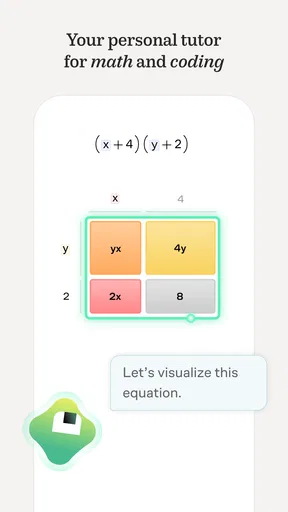
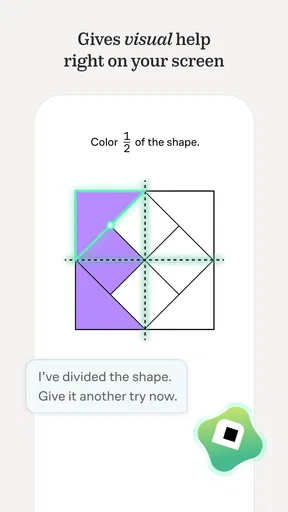
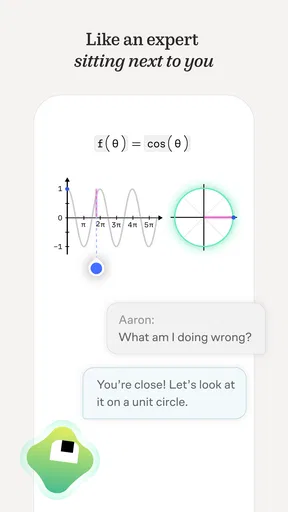
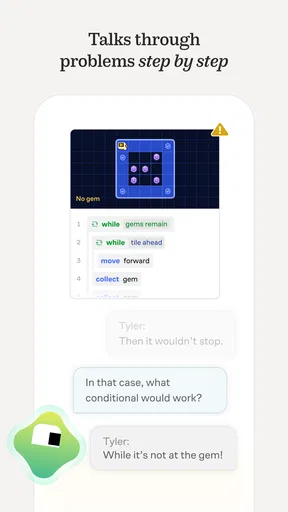
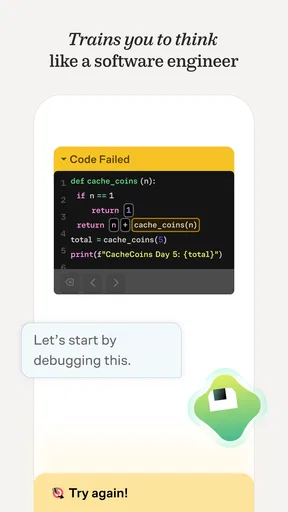
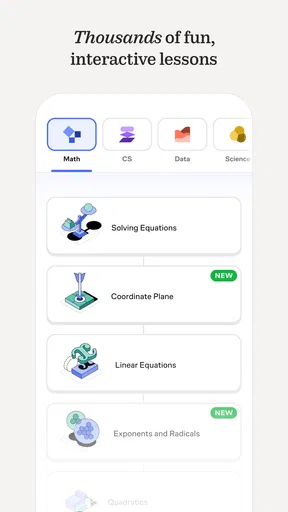
The app offers a variety of subjects, from the fundamentals of math and science to more complex topics like computer science and engineering. It's like having a library in your pocket, minus the overdue fees. The best part? It’s all about interactive learning. You won’t find any boring lectures here; instead, you’ll be solving problems and puzzles that make learning feel like play.
Diving into the Content
The content is where Brilliant truly shines. Each course is broken down into bite-sized lessons, complete with interactive exercises that challenge you to apply what you’ve learned. I particularly enjoyed the "Daily Challenges" feature, which keeps you on your toes with new and intriguing problems every day. It’s like a workout for your brain, minus the sweat.
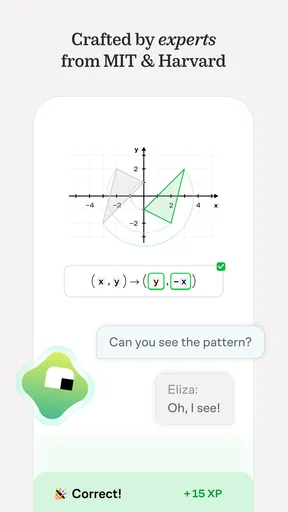
The explanations are clear and concise, with a perfect balance of theory and practice. If you’re ever stuck, the app provides detailed solutions that help you understand where you went wrong. It’s like having a tutor who’s always available, ready to guide you through the rough patches.
Community and Support
One of the standout features of Brilliant is its community. You’re not just learning in isolation; you’re part of a vibrant network of learners from around the globe. You can engage in discussions, share insights, and even help others with their queries. It’s like a virtual study group where everyone’s eager to learn and share knowledge.
The app also provides excellent support. If you ever encounter any issues or have questions, their responsive team is just a click away. It adds a personal touch to the experience, making you feel valued and supported.
Accessibility and Pricing
Now, let’s talk about accessibility. The app is available on both Android and iOS, so you can learn on the go. Whether you’re commuting or chilling at a café, your learning journey is always within reach.
As for pricing, Brilliant offers a free version with limited access to content. To unlock the full treasure trove of courses, you’ll need a subscription. It’s a reasonable investment if you’re serious about leveling up your skills. Plus, they occasionally offer discounts and free trials, so keep an eye out for those.
Final Thoughts
In a nutshell, Brilliant: Learn by Doing is a fantastic tool for anyone looking to learn in a fun, interactive way. It’s like having a personal mentor who makes even the toughest subjects feel approachable and exciting. Whether you’re a math whiz or a curious newbie, there’s something here for everyone.
So, if you’re ready to turn your downtime into productive learning moments, give Brilliant a shot. Who knows? You might just discover a passion for something new, all while having a blast. Happy learning!
Pros
- Interactive lessons make learning engaging.
- Wide range of subjects to explore.
- Offline access for learning on-the-go.
- Visually appealing and intuitive interface.
- Regularly updated content keeps it fresh.
Cons
- Requires subscription for full access.
- Limited free content available.
- No video tutorials for visual learners.
- May overwhelm beginners with depth.
- Requires stable internet for updates.
FAQs for Brilliant: Learn Math & Coding
What is Brilliant: Learn by Doing and how does it work?
Brilliant is an interactive learning platform designed to enhance problem-solving skills in math, science, and computer science. It offers engaging, hands-on lessons where users actively participate in problem-solving rather than passively consuming information. Each course is crafted to challenge and inspire, making complex concepts more accessible and enjoyable.
Is Brilliant suitable for beginners, or is it more advanced?
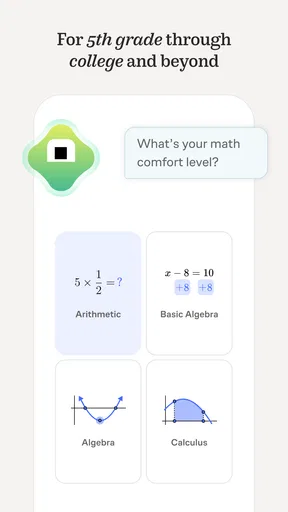
Brilliant caters to a wide range of skill levels, from beginners to advanced learners. Each course is structured to gradually increase in complexity, allowing users to build a strong foundation before tackling more challenging concepts. This makes it an excellent tool for lifelong learners of all backgrounds.
Can I access Brilliant offline, or is an internet connection required?
Brilliant requires an internet connection to access its full range of interactive lessons and problem-solving activities. However, once you've started a course or lesson, you can often continue it offline. This feature may vary depending on the device and specific content you're accessing.
Does Brilliant offer any free content, or is it subscription-based?
Brilliant offers a mix of free and subscription-based content. While many of the introductory lessons are available for free, unlocking the full range of courses and features requires a subscription. This model allows users to explore the platform before committing to a paid plan.
What devices are compatible with Brilliant: Learn by Doing?
Brilliant is accessible on a variety of devices, including smartphones, tablets, and computers. It has dedicated apps for both Android and iOS, ensuring a seamless learning experience. The platform's responsive design means you can easily switch between devices without losing your place in a course.


